
Before After Video MakerTwo photos, one reveal
Get the app free

Two photos, one reveal

Pro templateBusinessBrand

Brand Clean

Brand category, on a 1:1 square canvas, with Inter Bold labels reading Before and After on a flat frame. Drag the handle to see it work.
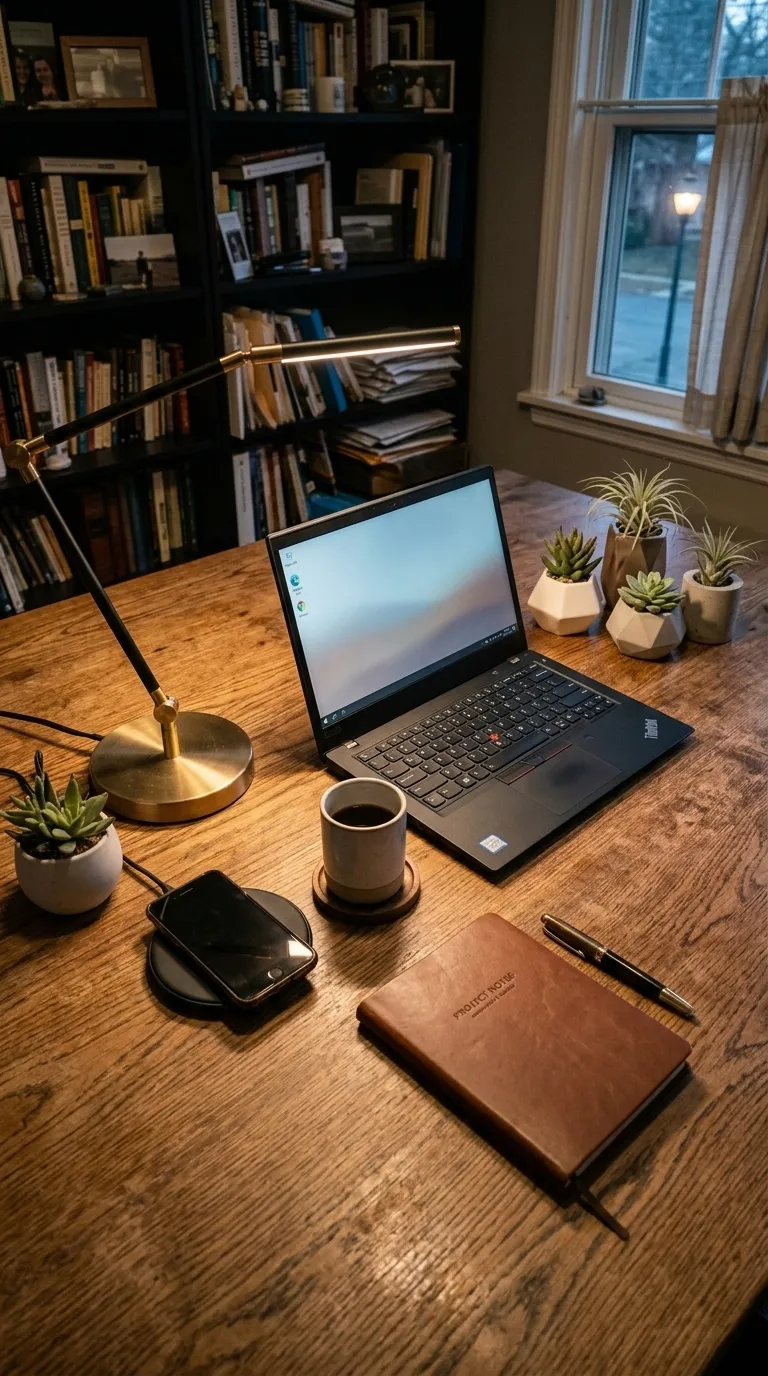
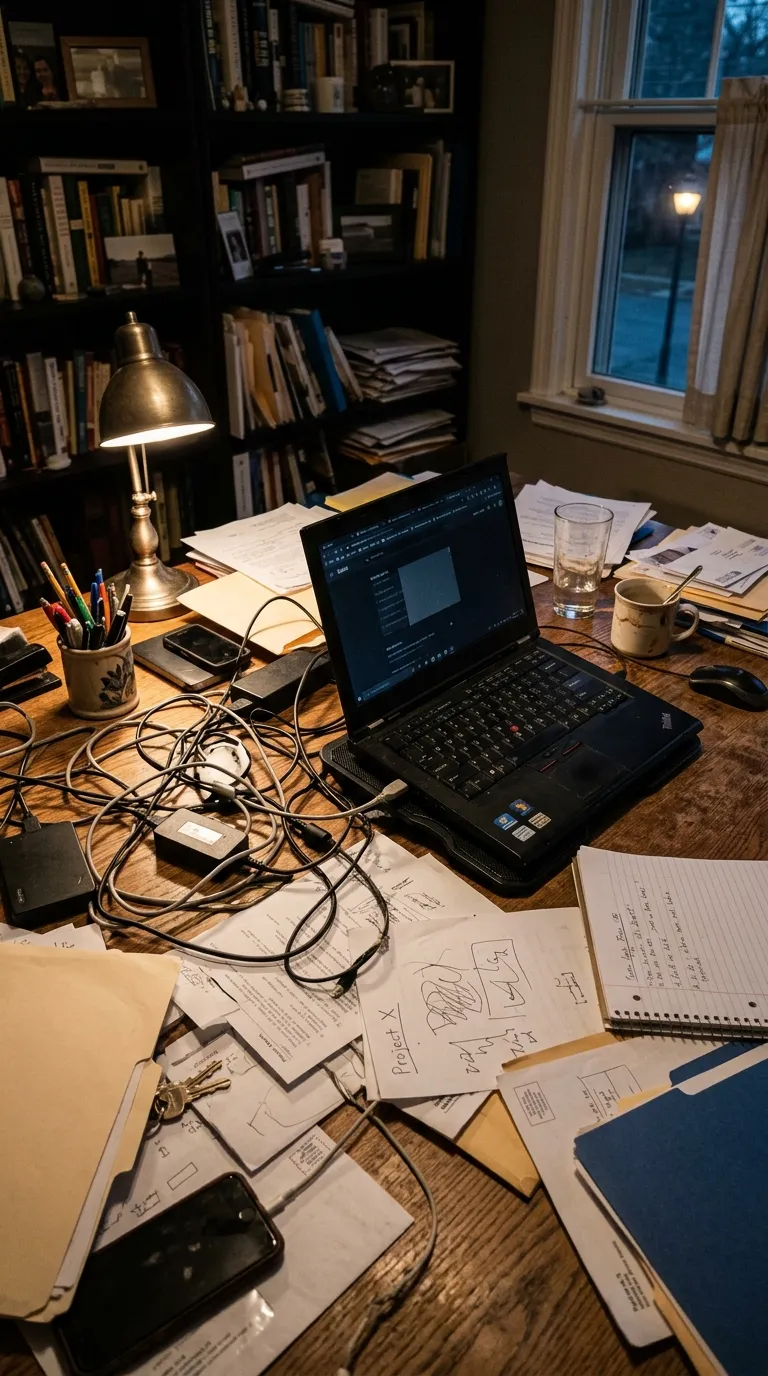
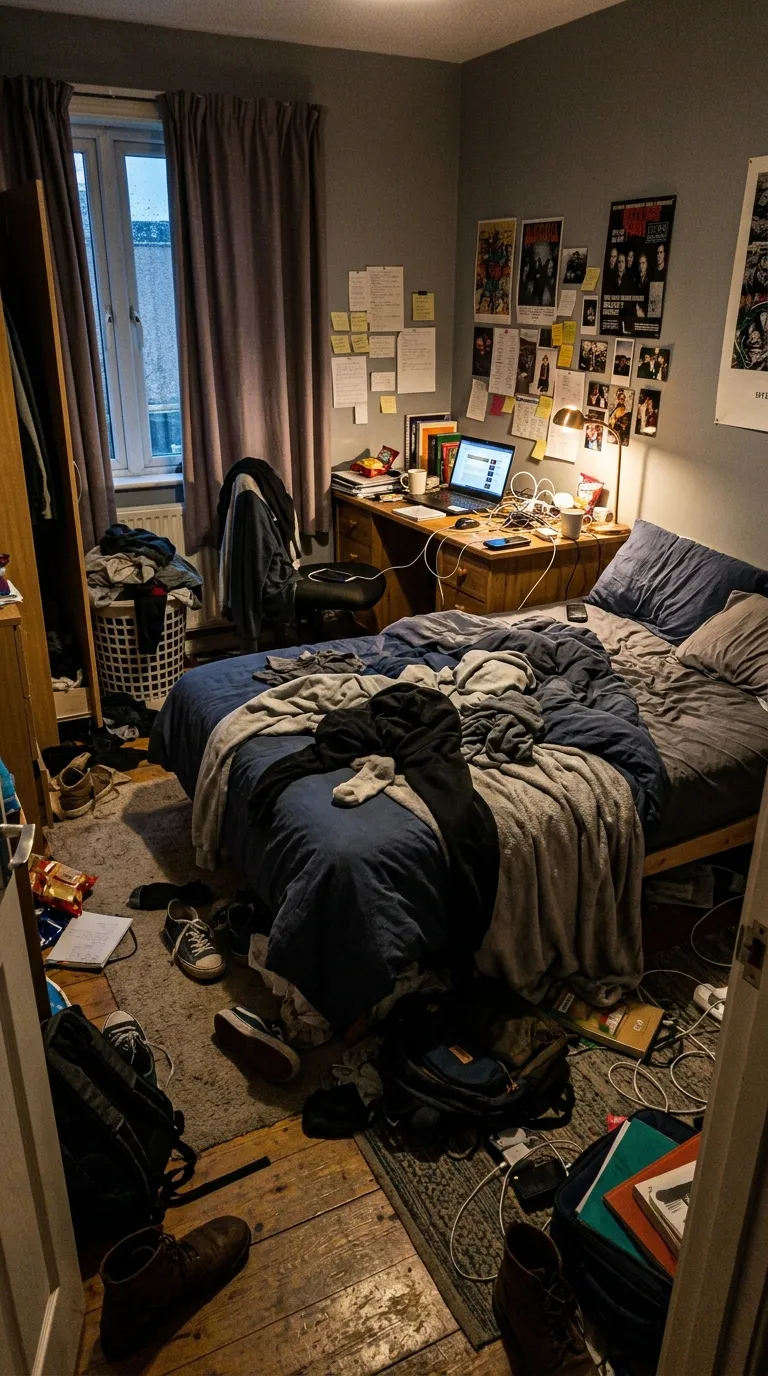
The same desk from the same spot, cleared, cable-managed and lit by a single lampA wooden desk buried under tangled cables, loose paper and clutter, photographed at nightBeforeAfter
Rendered from the shipped values, reserved branding band included. The pair of a desk tidy is the app's sample material rather than a customer's work. Your export is composited at 1080p from your own two photographs.
The job it is forBusiness pack

What Brand Clean is for

White, square, a single point black hairline, black labels at the bottom left, square corners, branding band. The neutral one. Any logo works on a white band, any subject works against a white ground, and a company that posts daily in this frame builds a recognisable grid without ever having chosen a brand colour for it.

One colour sits behind both halves, #FFFFFF, edge to edge. 1 point of #111111 hold the two photographs apart, with Inter Bold labels bottom left. The canvas is 1:1 square, square, with no radius at all, and the labels arrive reading Before and After. A band of 48 points is reserved under the pair for your logo and business name, so the post carries the company rather than the app.

The specificationExtracted, not typed

Every value in Brand Clean, as the build holds it

The value to check first on a brand template is the branding band: whether one is reserved at all, and how deep it runs. The diagram shows it at the scale the build specifies, under the outline of the frame, the rule and the label corner. What is left of the record, the part made of words, is set out in the panel next to it.

The recordPro
  • Canvas1:1
  • Rule1 pt
  • LabelsBottom left
  • Band48 pt
Canvas
1:1 square
Label face
Inter Bold
Label corner
Bottom left
Rule
1 pt
Corners
Square
Ground
Flat
Branding
Reserved band, 48 pt
Date stamp
Off by default
Default wording
Before and After
Pack
Business
  • Frame#FFFFFF
  • Rule#111111
  • Label#111111

Read out of the shipped app build by the catalogue extractor, not typed.

Shooting for itBrand category

How to shoot a pair for Brand Clean

Consistency across posts matters more here than any single pair. A company feed is read as a body of work, so the frame, the ground colour and the label wording want to stay the same from post to post until they are recognisable. Pick one template and stay on it. What must be visible in each pair is the job: a room emptied, a listing staged, a product photographed on the same seamless twice. Vary the subject, never the frame.

In orderWritten for brand work
  1. 01Load your logo and business name once. They are stored, so every export after the first carries them without another decision.
  2. 02Choose one template and treat it as the company's frame. Recognition is the whole return on a branded post.
  3. 03Shoot both frames on the same setup: same height, same background, same distance. A company feed is judged on whether the pairs look like a system.
  4. 04Keep the label wording in your own language rather than the default where it matters. The words are editable text, including the typeface, colour and position.
  5. 05Export and file it. Saved projects can be reopened and re-edited, which is how a listing gets a second version when the price or the caption changes.

A company feed gets read as a body of work, so a weak pair costs more than the single post it sits in. The slider that runs in this browser checks the two photographs on your own device in about two seconds, and the guide to pairs that lose trust covers the drift that most often gets through.

Honest limitsTwo of them, and both are real

What Brand Clean will not do

The branding strip is a reserved band of a fixed depth under the pair, so a wide or unusually shaped logo is scaled to fit inside it rather than laid over the photograph. It is not a watermark and not a full brand kit: one logo, one business name, in one place. Nothing in the app checks that you have the rights to a property photograph or a product shot, and listing photographs in particular usually belong to whoever took them. And a branded frame around a weak pair still shows a weak pair, with your name under it.

On this template in particularThe branding strip is a reserved band of a fixed depth under the pair rather than an overlay, so a tall or unusually shaped logo is scaled to fit inside it. It is one logo and one business name in one place, which is the whole of the app's branding.

If this one is not itFour questions, four answers

Without upgrading

Opens on the free tier, on a 1:1 square canvas with Inter Bold labels.

Same pack, other end

A darker ground in the same pack, with a 4 point #0088FF rule.

Nearby in the catalogue
clean category, 1:1 square, Free pack.

Nearby in the catalogue
clean category, 1:1 square, Free pack.

Back up to every brand template, or to the whole catalogue. The free browser slider is at the slider tool, and the hashtag research by trade starts at the hashtag index.

Common questions

Who is the Brand Clean template for?
White, square, a single point black hairline, black labels at the bottom left, square corners, branding band. The neutral one. Any logo works on a white band, any subject works against a white ground, and a company that posts daily in this frame builds a recognisable grid without ever having chosen a brand colour for it.
When should I use something other than Brand Clean?
White frames and white products need something between them. A packaging shot on a white sweep inside a white border has no boundary at all, and Product Bold or Brand Bold give it one.
Is Brand Clean free?
No, it is one of the Pro templates. The free tier opens 8 of the 100, and everything else in the editor is free with them: all four comparison modes, Ghost Camera, the filters, the stickers, the full label editor, and your own logo and business name.
What shape is Brand Clean, and what will it export at?
The template's canvas is 1:1 square. The export ratio is a separate choice made in the export sheet: 9:16 and 1:1 on the free tier, plus 4:5 and the original ratio on Pro. 1:1 is among them, so the canvas and the export can match exactly.
Can I change the BEFORE and AFTER wording?
Yes. Brand Clean starts with "Before" and "After", and every part of that is editable: the text, the typeface, the colour, the size, bold and italic, uppercase, a shadow, the background opacity, and the position, either one of five presets or dragged anywhere on the canvas.
Can I compare two video clips with this?
It does not. A branded post here is two photographs inside your frame, exported as a video, a GIF or a still. Anything involving footage happens somewhere else before it reaches the camera roll.

Put your own pair in Brand Clean

Two photographs, one template, and a reveal that plays in about four seconds. Three exports a day are free, each behind a short rewarded ad.

Get the app freeiPhone, iOS 17 and later