
Before After Video MakerTwo photos, one reveal
Get the app free

Two photos, one reveal

Two photographs, one reveal

The reference for the before and after post

Drag the handle on the right. That is the whole idea: a before, an after, and a reveal worth watching. This site is where the craft of it is written down, with a free slider that runs in this browser, every frame in the catalogue rendered live, the hashtag research behind the caption, and the federal wage and business record for the trades that live on this kind of post.

Or go straight into one of the libraries

Free tierReels ReadySocial
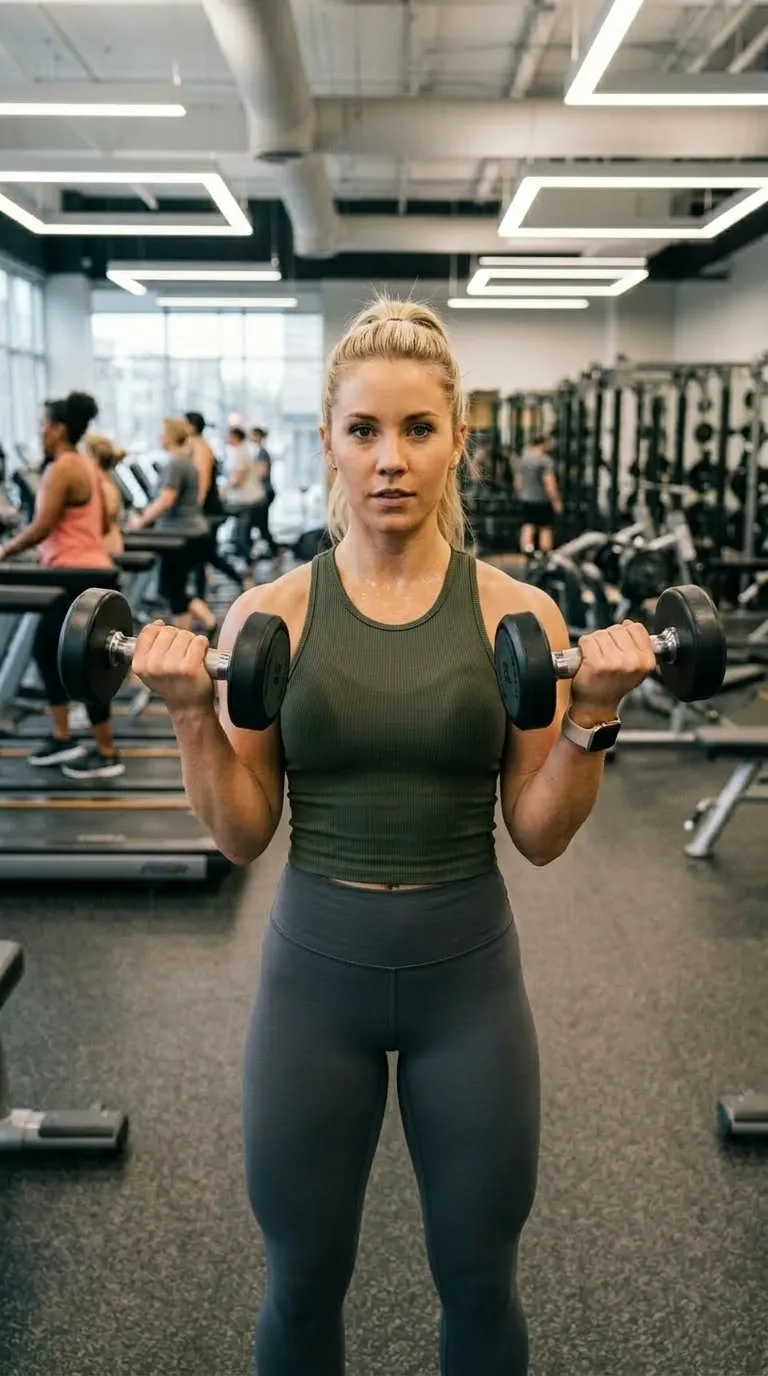
The same woman in the same gym, same stance, at the end of the blockA woman holding dumbbells in a gym at the start of a training blockBeforeAfter
Frame9:16
Divider2 pt
Label typeInter Bold
Live, in your browser. The Reels Ready frame, drawn from the app's own template data and free on the free tier.
What is published here225 library pages

Four libraries, and the app is none of them

This is a publication about before and after work that happens to be run by the people who also make an app for it. The libraries came first, they are free, and three of the four need no phone at all. They are laid out in order of distance from the app: the catalogue is the app's own data, and the guides are the photography, which is where a pair is won or lost.

01 · The catalogueThe whole catalogue →

Every frame in the catalogue, live on this website

From plain frames that get out of the way to trade packs for salons, nail bars, tattoo studios, pet groomers, detailers and landscapers. Each one has its own page here with a working demo over a real photograph pair, so you can drag the divider before you install anything. The colours, the divider weights and the label typefaces are read out of the shipped build rather than restyled for the web.

Contact sheettwo frames per shape · drag any divider
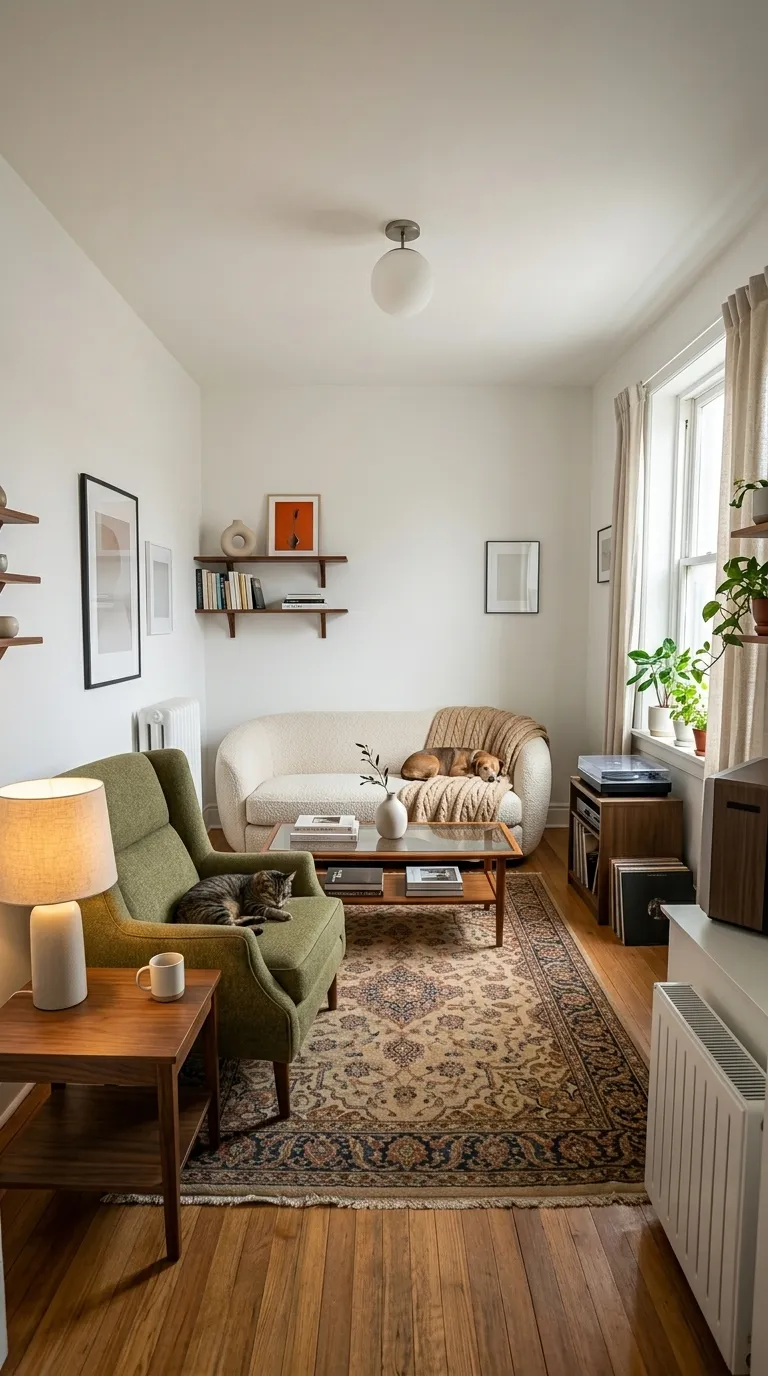
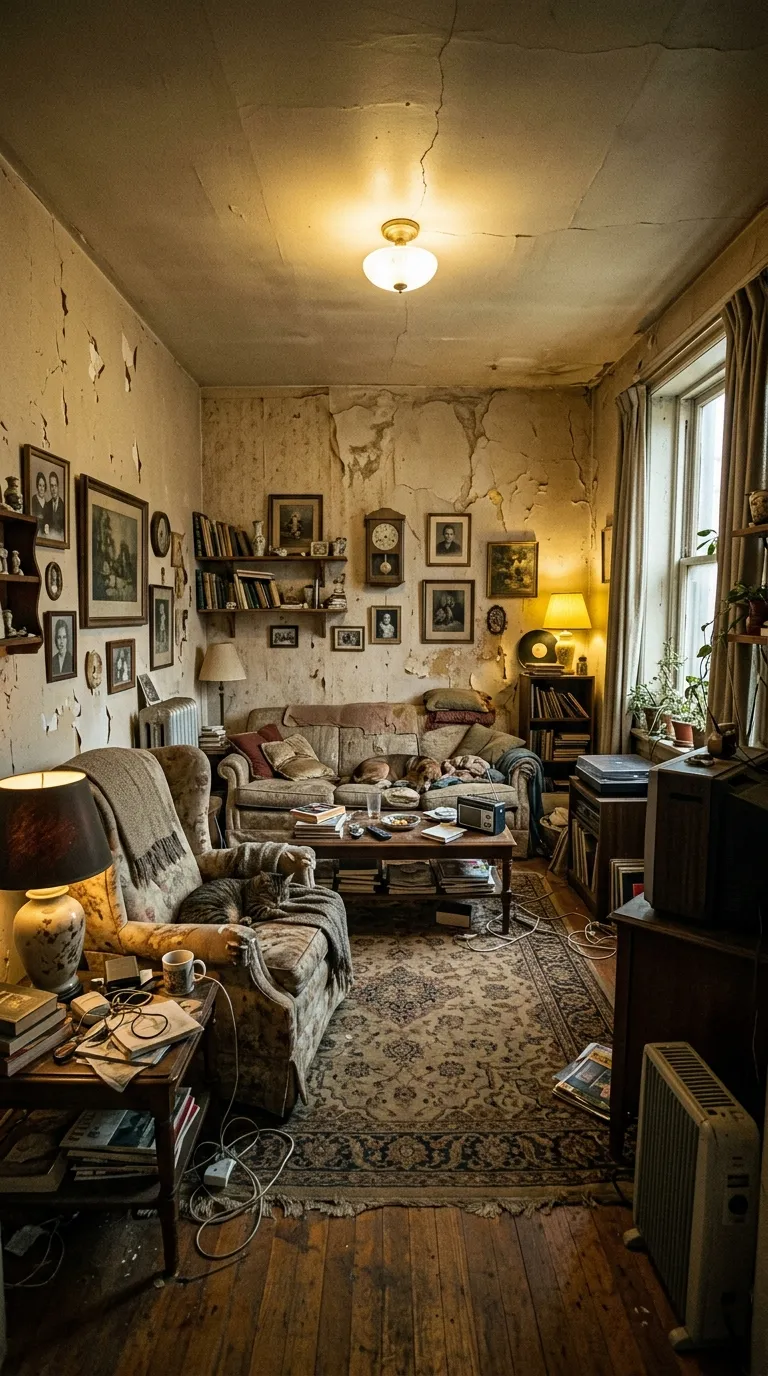
The same living room after renovation, repainted and furnished, shot from the same cornerA dim living room with peeling walls, worn furniture and clutter on every surfaceBeforeAfter
Minimal1:1 square
2 pt divider · Inter Bold
Free
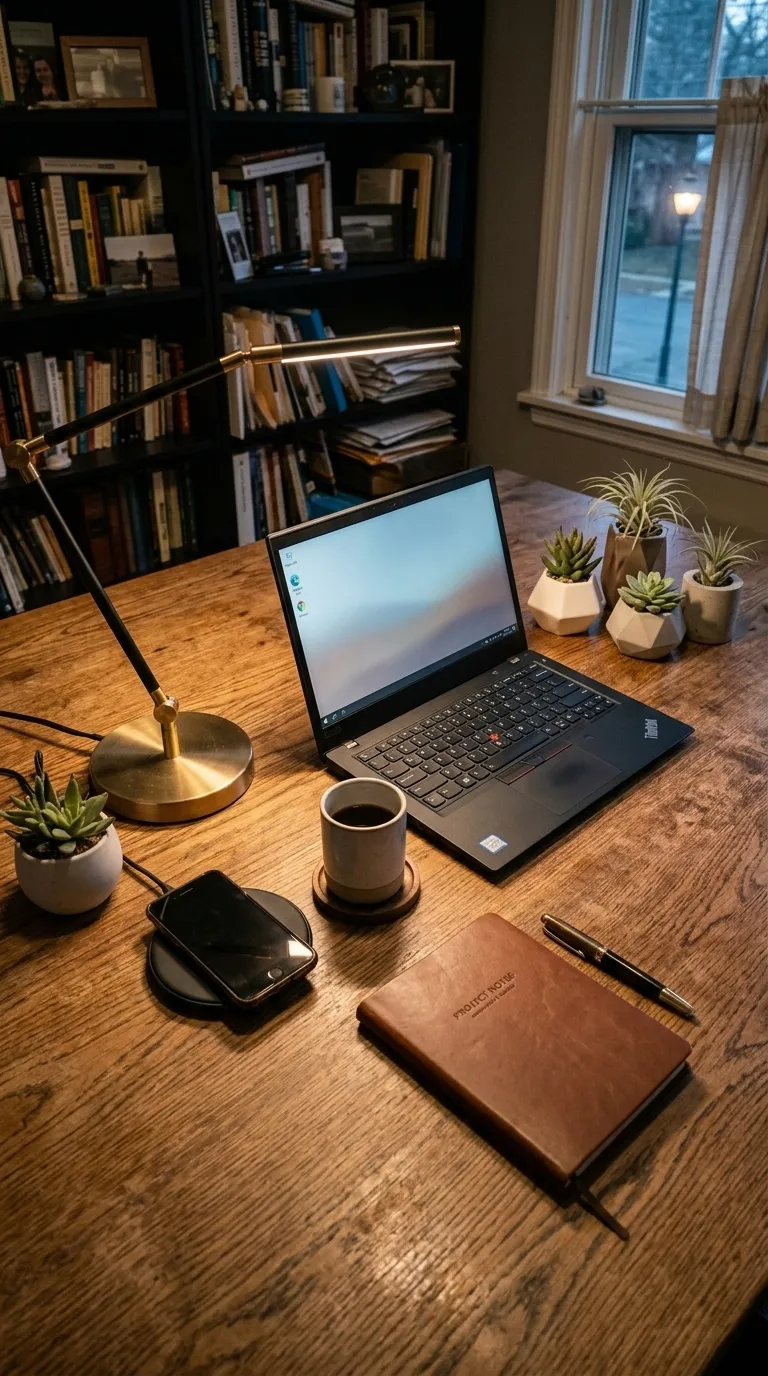
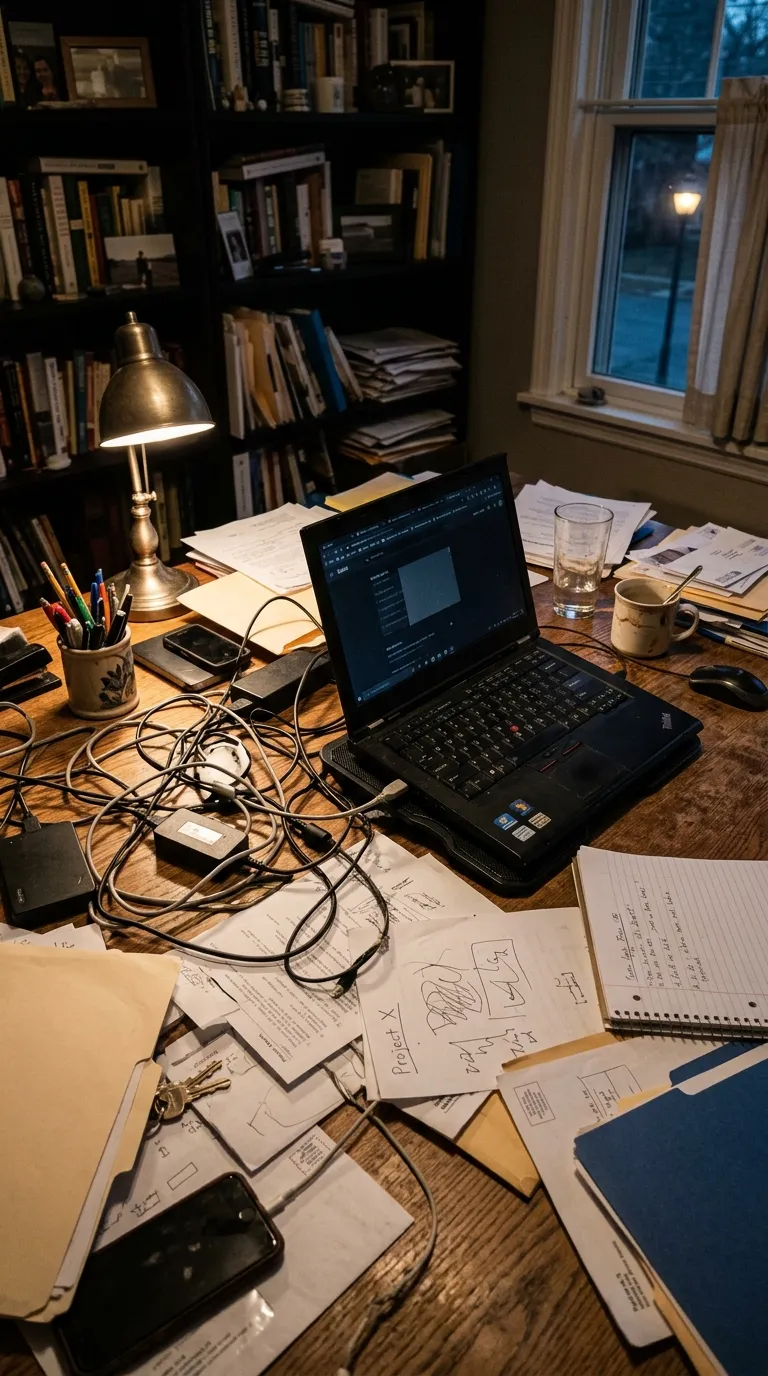
The same desk from the same spot, cleared, cable-managed and lit by a single lampA wooden desk buried under tangled cables, loose paper and clutter, photographed at nightBeforeAfter
Product Bold1:1 square
3 pt divider · Bebas Neue
Pro
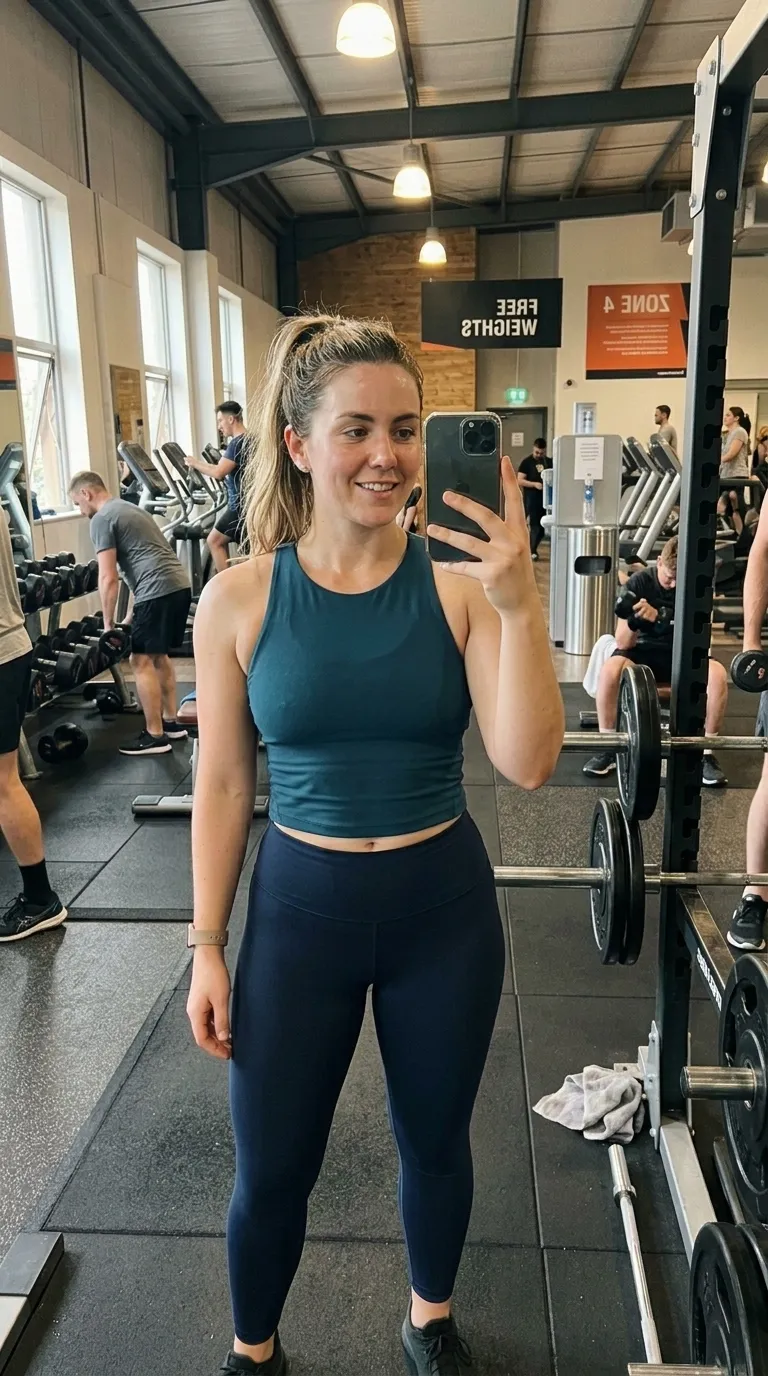
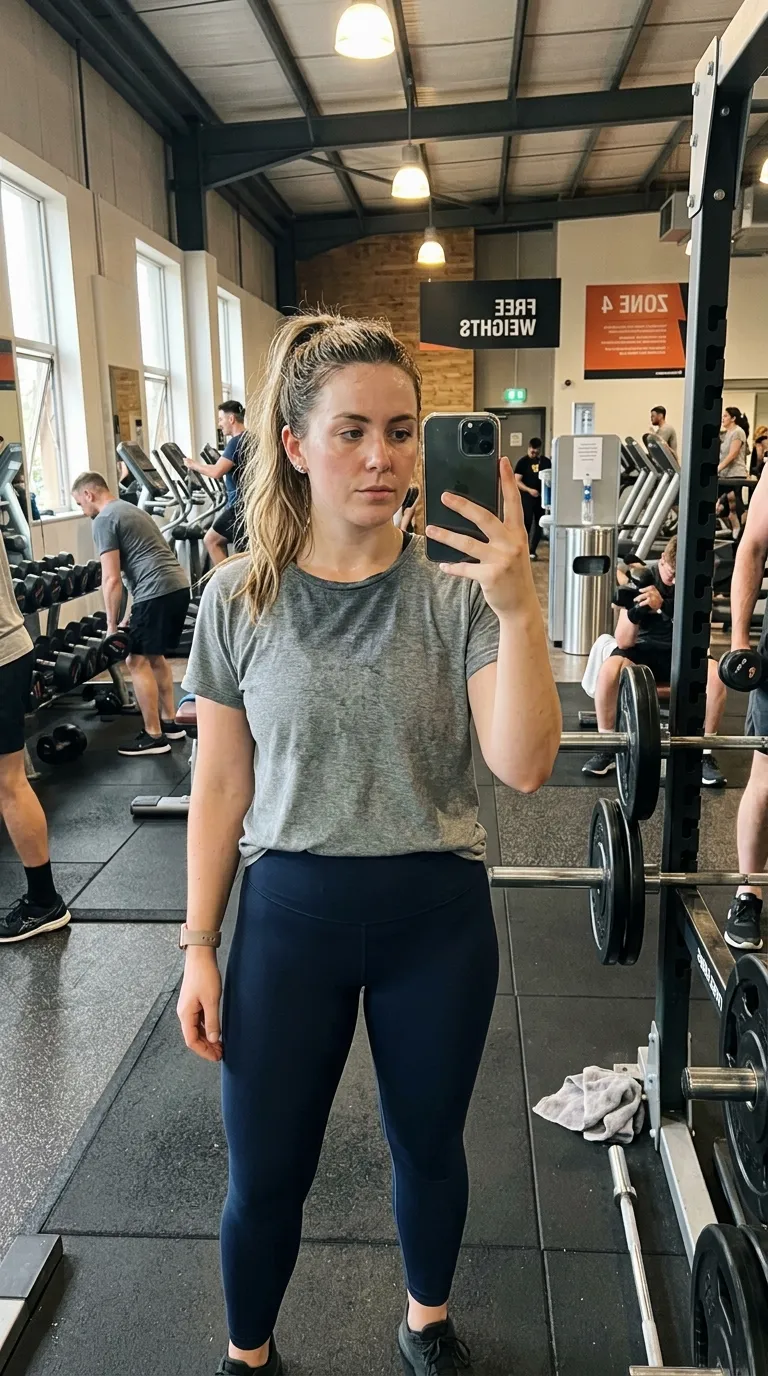
The same mirror, same framing, several weeks into the programmeA gym mirror selfie taken in a loose t-shirt at the start of a programmeRawEdited
Editorial4:5 portrait
1 pt divider · Playfair Display Bold
Pro
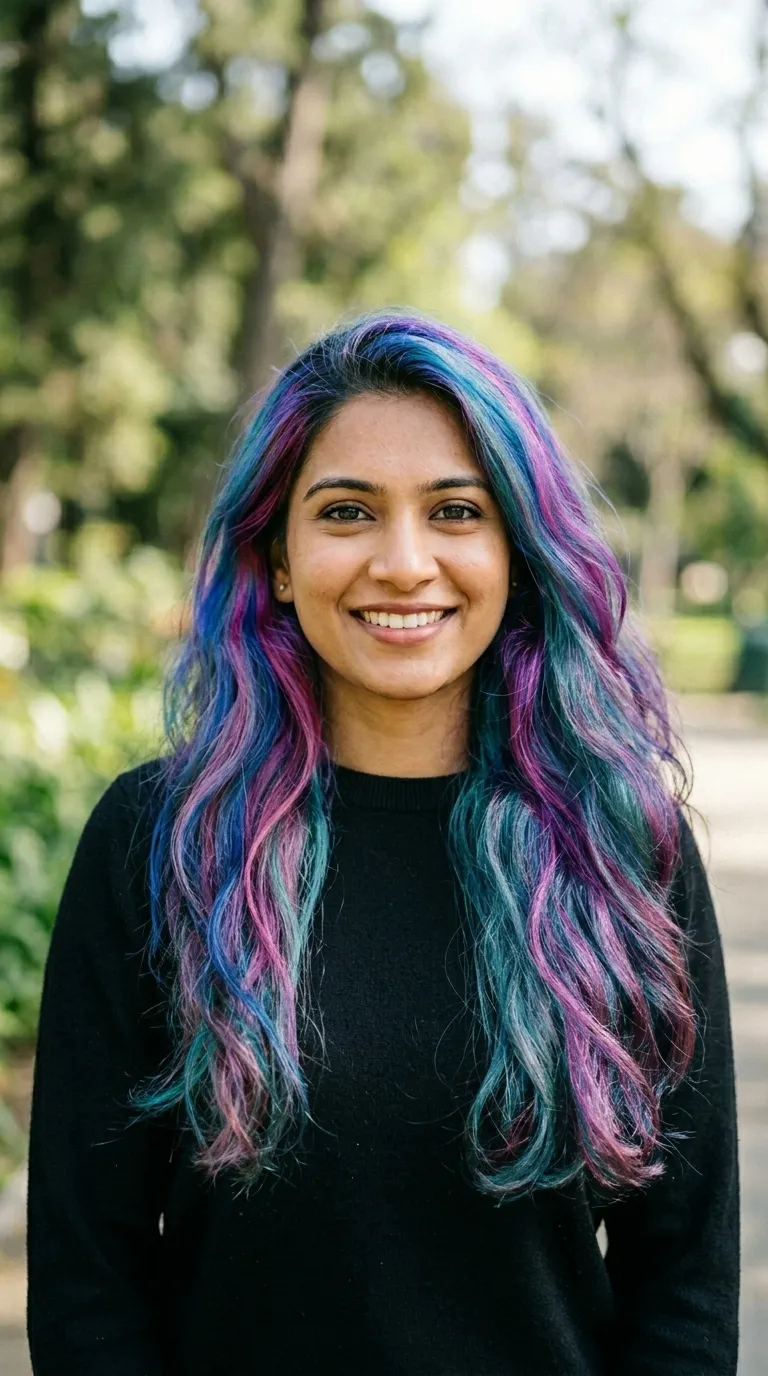
The same woman in the same spot after a vivid multi-tone colour serviceA woman with her natural dark hair, photographed outdoors against greeneryBeforeAfter
Spa Wellness4:5 portrait
1 pt divider · Playfair Display Bold
Pro
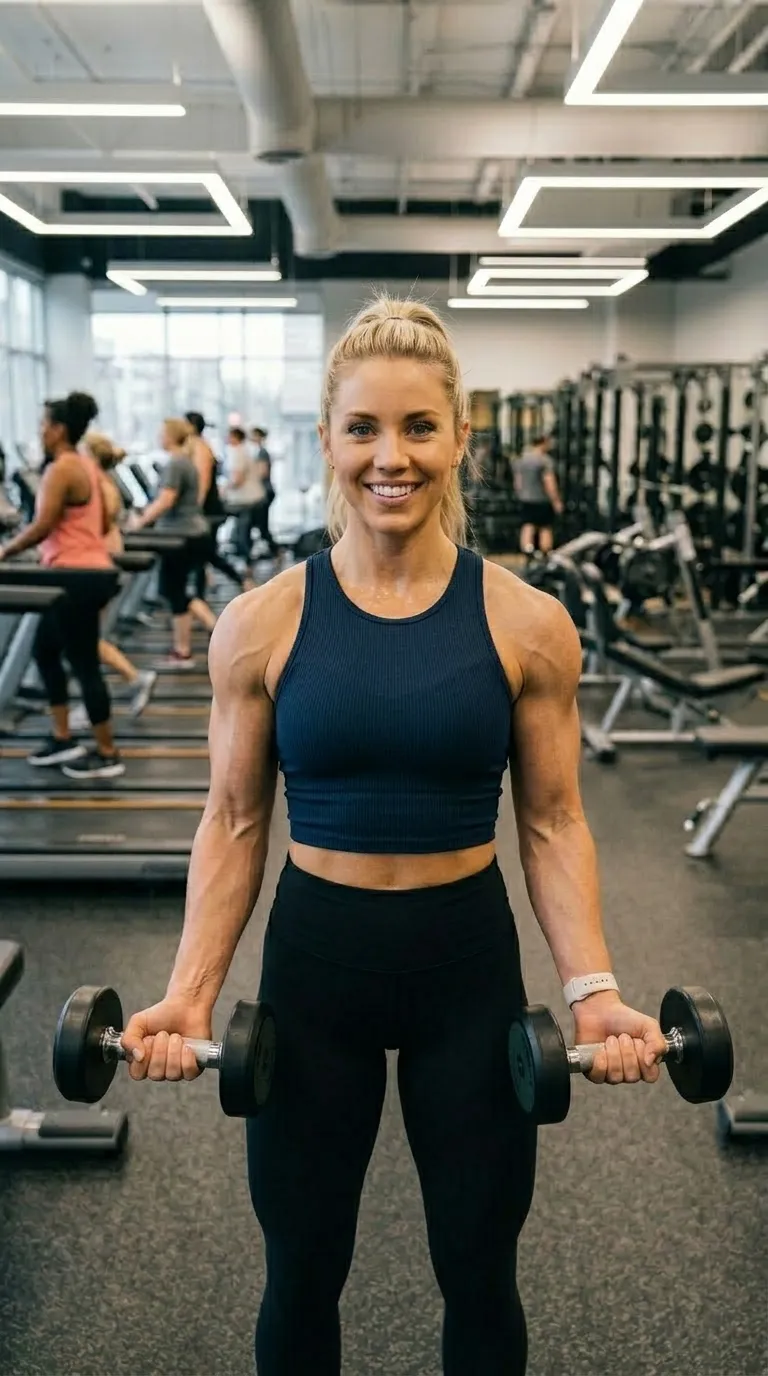
The same woman in the same gym, same stance, at the end of the blockA woman holding dumbbells in a gym at the start of a training blockBeforeAfter
Reels Ready9:16 vertical
2 pt divider · Inter Bold
Free
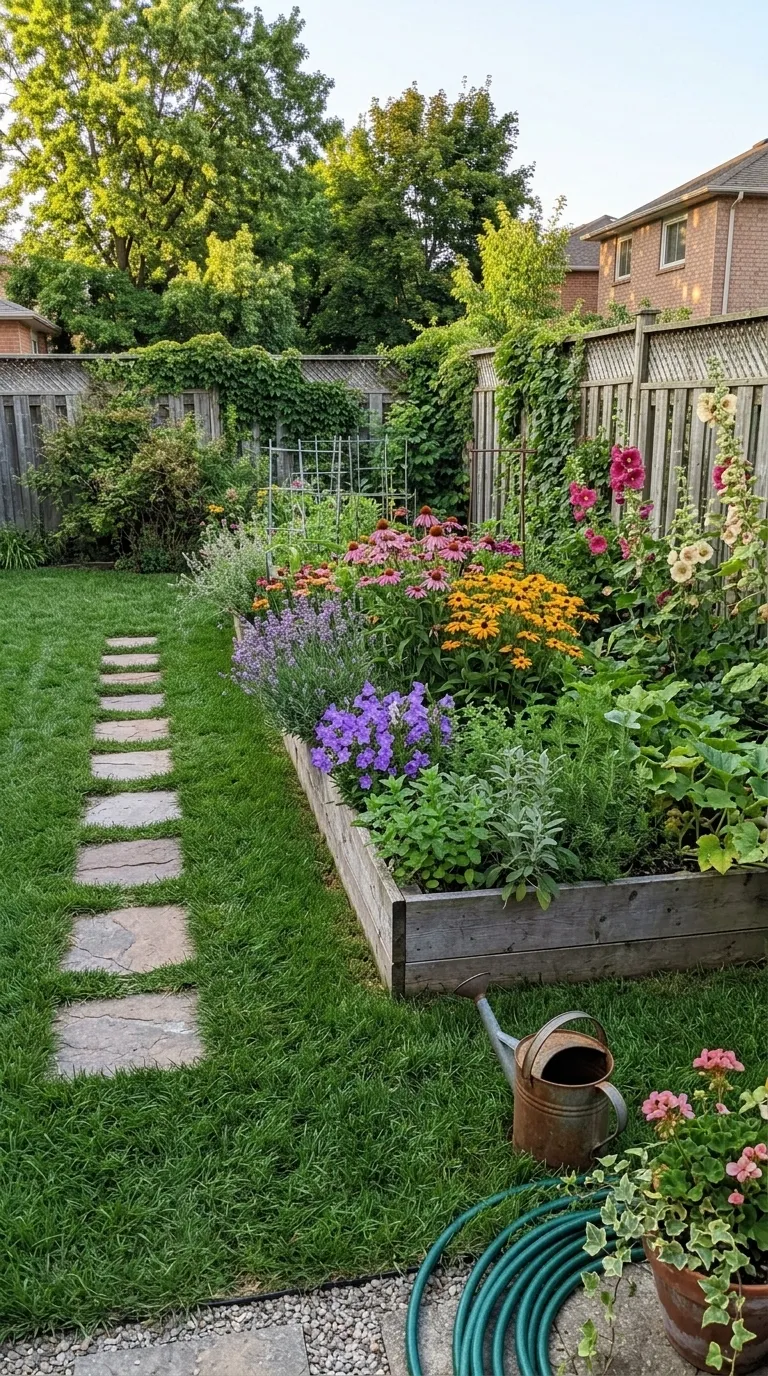
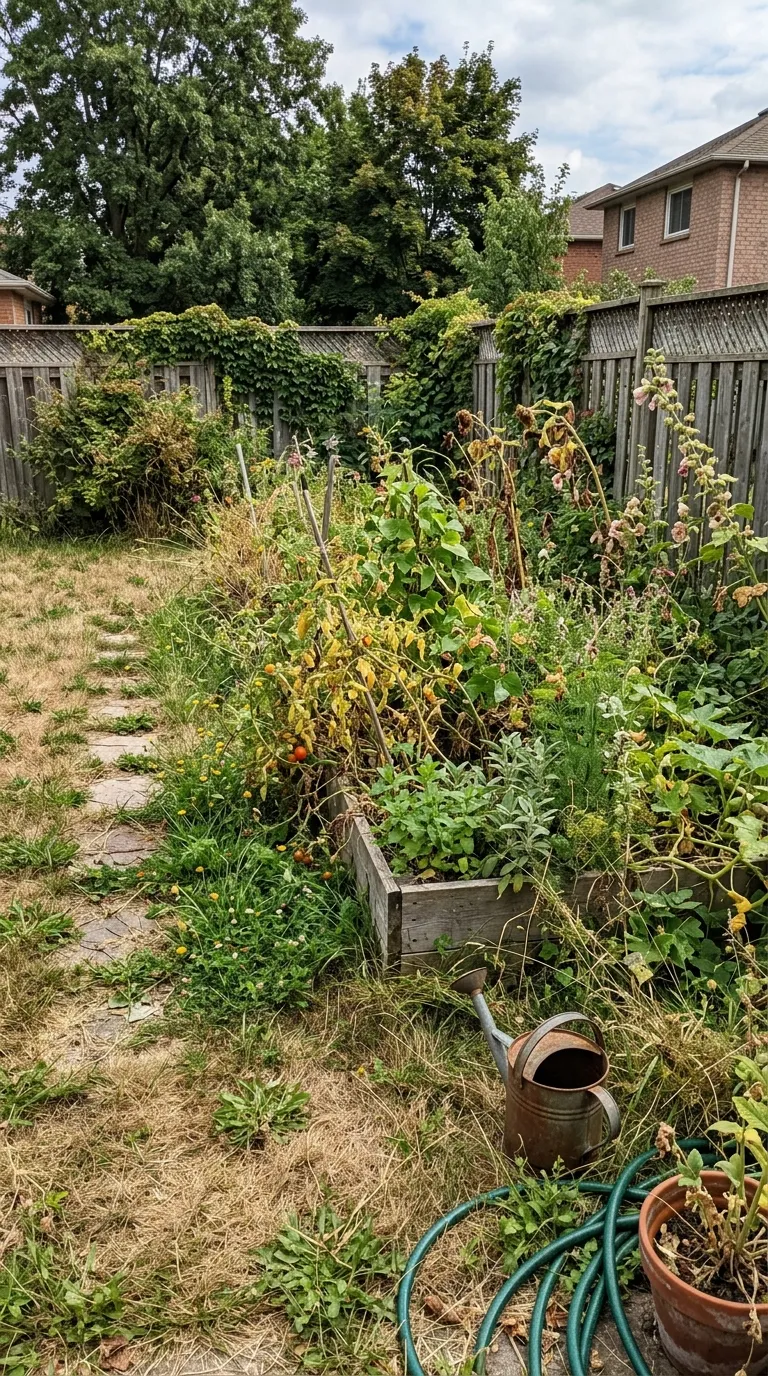
The same garden from the same spot, cleared, edged and planted with a flowering bedA back garden overgrown with weeds and dry grass, stepping stones barely visibleBeforeAfter
Garden Warm9:16 vertical
3 pt divider · Inter Bold
Pro
16:931:1314:5292:319:1636

The ratio is not decoration, it is the first thing a template decides for you, and the catalogue ships 5 of them: 3 at 16:9, 31 at 1:1, 29 at 4:5, 1 at 2:3 and 36 at 9:16. The sheet above takes two frames from each of the three drawn in gold. The 16:9 and the 2:3 frames sit in the platform and social packs.

Every category, and who reaches for each
Clean

Photographers, renovators, anyone whose work is already the picture.

Plain frames that get out of the way. When the transformation is the whole point and nothing on screen should compete with it.

6 frames →
Bold

Gyms, detailers, anyone posting into a crowded feed.

Saturated frames and thick dividers, set in a condensed display face. Built to survive a fast thumb on a small screen.

8 frames →
Social

Anyone posting to one platform in particular rather than all of them.

Shaped for a specific surface: vertical for Reels, TikTok and Shorts, portrait for a feed post, tall for Pinterest.

11 frames →
Professional

Clinics, dental and medical practices, photographers, consultants.

Restrained, clinical framing with quiet labels. The register you want when the result has to look like a record rather than an advert.

5 frames →
Niche

The trades whose whole marketing is a before and an after.

A pack per trade: hair, nails, tattoo, pet grooming, car detailing, garden and landscaping, and makeup.

30 frames →
Lifestyle

Coaches, creators and anyone documenting a routine over weeks.

Fashion, food, fitness, skincare and wellness. Warmer palettes, softer dividers, labels that read as a caption rather than a spec.

20 frames →
Brand

Agencies, estate agents, product sellers, any business posting daily.

Templates with room for a business name and a logo under the pair, so the post carries the company rather than the app.

10 frames →
Platform

Anyone who needs a look rather than a layout.

The specials: neon and cyberpunk edges, gold-on-dark luxury, and the wide 16:9 layouts for YouTube and a website.

10 frames →
02 · Hashtags and captionsAll 60 tag pages →

Instagram allows 5 hashtags. Every list of thirty is now wrong

The cap was announced on 19 December 2025 and rolled out through 2026, and it counts the caption and the comments together, so hiding the rest in the first comment buys nothing. This library is 511 tags and 450 caption templates built for that, researched on 1 August 2026 and sorted per trade and per platform.

The cap did not shorten the list. It changed what a list is.

The rule this dataset is built on
A thirty tag block, submitted today5 publish · 25 stripped

These publish

#homeimprovement#beforeandafter#pressurewashing#softwashing#drivewaycleaning

These are stripped, in the caption and in the comments alike

#deckcleaning#pavers#residentialcleaning#pressurewashingservices#cleaningservice#commercialcleaning#cleaningbusiness#woodrestoration#transformation#housewash#housewashing#patiocleaning#concretecleaning#jetwashing#roofwashing#powerwashing#pressurewash#powerwash#pressurecleaning#pressurewasher#softwash#roofcleaning#guttercleaning#exteriorcleaning#windowcleaning

The real ranked pool for pressure washers, in this library's own order. The pool is ranked so that the ones that publish are the ones worth having.

The starter 5 for pressure washers, on two platforms, read straight out of the dataset

InstagramFive, and it is a hard cap
  • #pressurewashingIn bothTrade
  • #drivewaycleaningIn bothNiche
  • #beforeandafterIn bothBroad
  • #softwashingIn bothTrade
  • #homeimprovementIn bothBroad
TikTokThree to five, by convention not by rule
  • #cleantokIn bothTrade
  • #oddlysatisfyingIn bothBroad
  • #pressurewashingIn bothTrade
  • #satisfyingcleaningIn bothNiche
  • #powerwashIn bothTrade

One tag out of 5 survives the move between them, and the line above says which: #pressurewashing. The rest change because the audience changes. TikTok sends this trade the satisfying-video audience, who live everywhere and will never book it, and Instagram sends it homeowners who can. It is the worked example here because its own record in this library says it has that split more sharply than any other trade on the site.

How far apart the two sets sit, across all 15 trades

2no tag
in both
8one tag
in both
22 tags
in both
33 tags
in both

Pressure washing sits in the accented column

Each column is a count of trades. Not one of the 15 keeps more than 3 of its starter set when it moves platform, and 2 keep none at all. That is the case against one saved block of tags, made at the scale of the whole library rather than asserted from one example.

And the tags to avoid, with the reason written out
  • #hardworkpaysoff

    The single most dangerous tag in this trade. It is the default caption on an owner operator grind post and it is on every published list.

  • #saltwater

    Flagged, and reached for on winter salt removal posts.

  • #leaves

    Flagged, and the obvious tag on an autumn gutter clean.

44 of these across the library, one list per trade. Instagram publishes no official banned list and gives no warning when a tag is restricted, so every one of them is flagged rather than asserted, with the thirty second check a reader can run themselves printed beside it.

The trades, grouped by family

Beauty and body art

The trades where the client is the canvas, the reveal happens in one appointment, and the same chair is the same camera position every time.

Exterior and vehicle

The satisfying-video trades. A hard line down the middle of a dirty surface is the single most watchable thing on either platform, and these five own it.

Home and interior

Rooms, walls and objects. The longest jobs, the biggest visual change, and the one family where you physically cannot go back and reshoot the before.

Every trade gets a hub with its own written brief, then a page per platform with the ranked pool, the starter set, the caption templates and the tags to avoid. There are 45 of those platform pages and each one is a different argument, because the platforms want different things.

03 · The trade money recordAll 29 statistics pages →

What these trades are actually paid, from the federal record

The trades whose whole marketing is a before and an after are also trades people search the pay of constantly, and most of what comes back is a salary aggregator guessing. These pages are the primary sources instead: the BLS wage survey and the two Census business registers, fetched on 1 August 2026, baked into the build, and republished with the scope caveats attached. 7,364,060 employed workers and 597,566 businesses are on the record here.

Six of the 16 occupations on the recordBLS OEWS · May 2025
Pay for six trades, BLS Occupational Employment and Wage Statistics, May 2025
OccupationEmployedMedian a yearTenth to ninetieth percentile
BarbersBeauty and body art · SOC 39-501115,000$38,210$28,600$76,460
Hairdressers, Hairstylists, and CosmetologistsBeauty and body art · SOC 39-5012305,710$35,790$27,040$71,190
Manicurists and PedicuristsBeauty and body art · SOC 39-5092152,770$35,760$28,920$50,140
Landscaping and Groundskeeping WorkersExterior and vehicle · SOC 37-3011952,640$39,150$31,150$56,730
Painters, Construction and MaintenanceHome and interior · SOC 47-2141225,190$49,400$37,440$78,810
Cleaners of Vehicles and EquipmentExterior and vehicle · SOC 53-7061380,430$35,830$27,380$47,610

Scroll the table sideways for the range

How the six were picked

Not derived: three from beauty and body art, two from exterior and vehicle and one from home and interior, chosen because they are the trades this app ships template packs for. Barbers is on the list at 15,000 employed, the smallest figure in the table, because that figure is the clearest case of the caveat below: most barbers rent a chair or own the shop, and the survey counts neither.

How to read the bar

Every bar runs on one scale, from nothing to $78,810, the highest ninetieth percentile in the table. The block is the tenth to ninetieth percentile and the mark inside it is the median. All three are published figures; nothing here is interpolated.

Where each row goes

Every occupation has its own page with the hourly figures, the tenth percentile, the highest paying states and the industries it maps onto. There are 16 of them and 13 industry pages beside them.

The line that belongs on every wage page here

A figure above is what an employed person in that job is paid. It is not what a chair renter or a one-van business takes home.

The wage survey covers wage and salary workers only. It excludes the self-employed, owner-operators and chair renters, which in several of these trades is most of the trade. We publish the sentence that shrinks our own numbers because a record that does not carry its scope is not a record.

Where the numbers come from, and where to check them

  • [1]

    BLS Occupational Employment and Wage Statistics

    May 2025 · fetched 1 August 2026

    National, cross-industry estimates for wage and salary workers. Self-employed workers, owner-operators and chair or booth renters are not in scope.

    Downloaded from download.bls.gov/pub/time.series/oe

  • [2]

    US Census Bureau, County Business Patterns

    2023 · fetched 1 August 2026

    Counts establishments with at least one paid employee, measured in the week of 12 March 2023. A business with no employees is counted by Nonemployer Statistics instead, not here.

    Downloaded from www2.census.gov/programs-surveys/cbp/datasets/2023

  • [3]

    US Census Bureau, Nonemployer Statistics

    2023 · fetched 1 August 2026

    Counts businesses with no paid employees and at least $1,000 in annual receipts. Sole traders, single-van operators and self-employed contractors land here.

    Downloaded from www2.census.gov/programs-surveys/nonemployer-statistics/datasets/2023/historical-datasets

And the businesses nobody counts as businesses

The two Census registers are different universes and this site never silently merges them. Set side by side they say something the wage survey cannot: across these trades 3,273,282 businesses have no employee at all. These four are the widest gaps among the industries where both registers publish at the same code.

Four of the 13 industries here get no card, because Census stops publishing nonemployer detail above their code. Painting contractors is one: the nearest published level mixes drywall, flooring, tile and finish carpentry into one figure, so this site prints no painting count rather than a borrowed one.

04 · The free toolNo sign-up, no upload, no account

Make a before and after slider in this browser

The one thing on this site you can finish a job with right now, on whatever device you are reading this on. Drop in two photographs, drag the divider, download the split image. It is free in the plain sense: there is no account to make, no watermark on the result and no email asked for.

Open the slider tool

Check the claim rather than believe it. Let this page finish loading, switch your connection off, and drag the divider again. It still works, because the whole thing is running on your own machine and there is no server behind this website to send a photograph to.

Sample pair, already loadedA room declutter
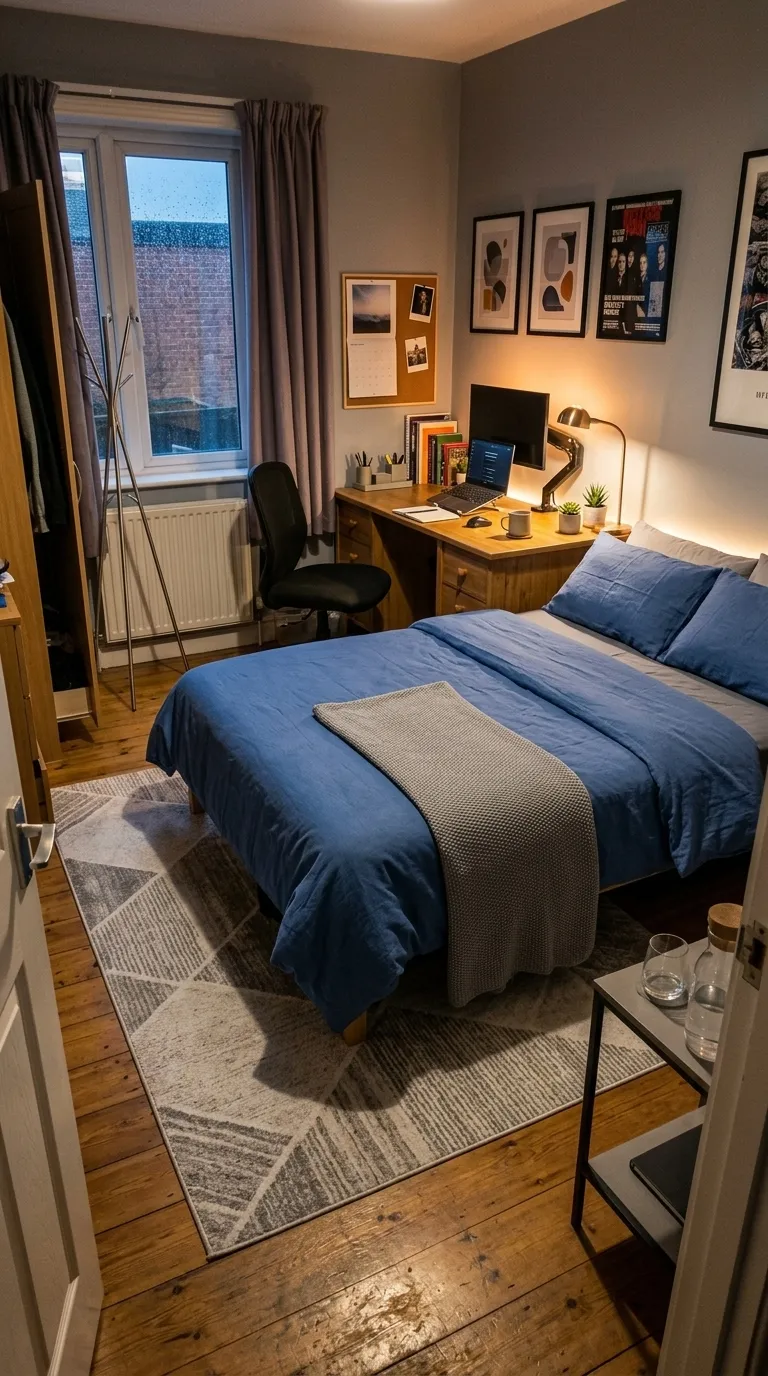
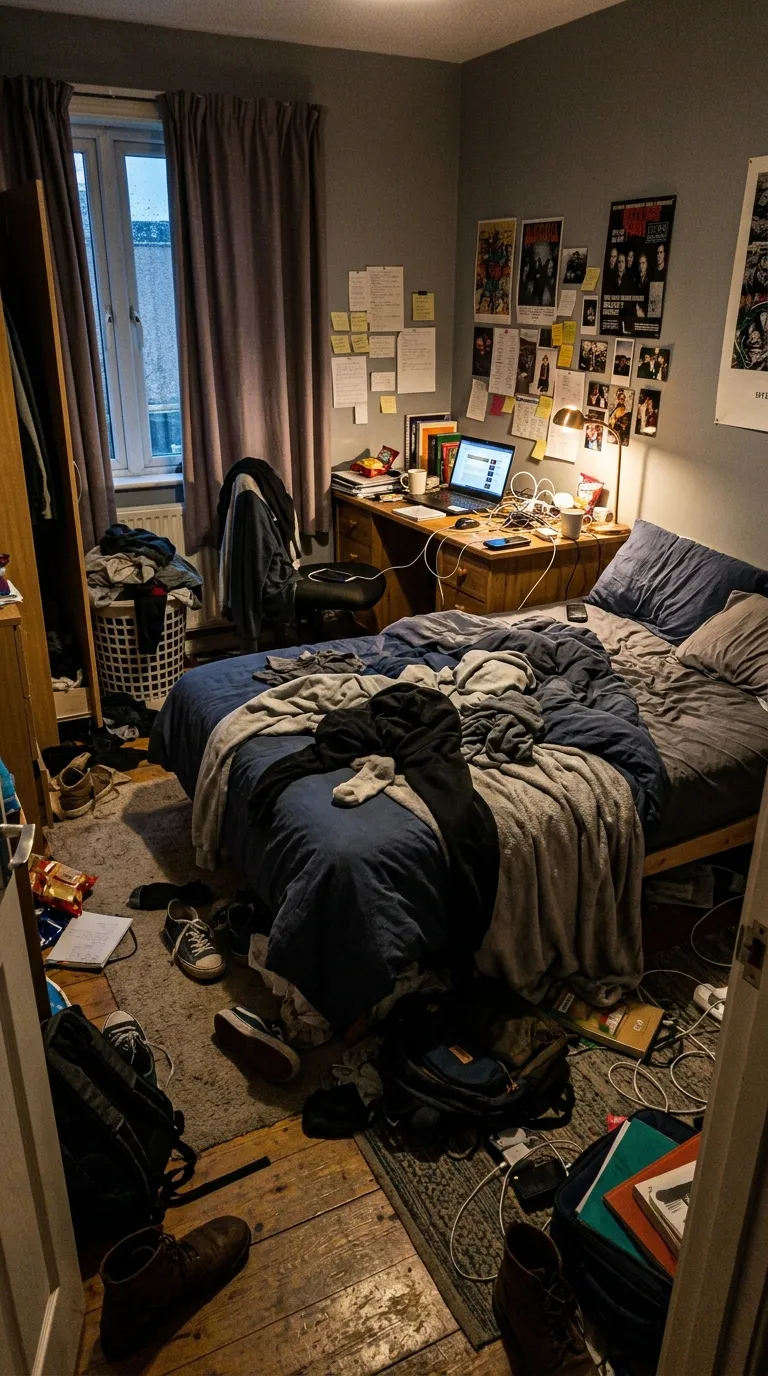
The same bedroom from the same doorway, tidied, made and organisedBEFOREAFTER
Split 52%Writes 9:16 · 4:5 · 1:1 · 16:9 · original
What it does, and what it does notRead off the shipped tool, not the pitch
  • It does

    Two photographs, one split image

    Pick a before and an after, drag the divider to where the comparison reads best, set the shape and your own two labels, and download the result as a single image ready to post.

  • It does

    Nothing is uploaded, because nothing can be

    Your browser reads the files, draws them into a canvas on your own device and hands the result back to you. Load the page, turn your connection off, and every part of it still works.

  • It does not

    It makes an image, not a video

    A browser canvas cannot encode the reveal the way a phone can. If you need the wipe, the cut or the push, that is the app rather than this page.

  • It does not

    No frames, no logo, no music

    The tool draws one divider and your two labels on a plain canvas. The template frames, the logo strip and the soundtrack all live in the app, and this page does not pretend otherwise.

Why the limits are printed here. A free tool that only lists what it can do is an advert. The tool page carries the same split as a full table, and most of that table is this page saying no about itself.

05 · The guidesThe whole library →

Getting the pair right is most of the job

The software takes about a minute. The photography is where a before and after is won or lost, and almost nobody writes about it properly. Every guide here was named after the search it exists to answer before a word of it was written, and that search is printed on the card.

Start hereHow to Take Matching Before and After PhotosA method you can follow with a phone in a salon or on a driveway: the spot, the height, the distance, the lens and the light, plus the five numbers to write down.Written against one search: how to take matching before and after photos6 min read
Then one from each of the other pillarsLong, researched, and written here

The four pillars

They came out of the search sweep rather than out of a meeting, which is why one of them is much larger than the others and this page does not pretend they are balanced.

Open the guide library

The rule above each pillar is its share of the library, drawn at build rather than claimed.

Shooting the pair

The half nobody covers properly. Matching the angle, the light and the distance, so the result reads as real rather than staged.

Making the video

Modes, reveals, length and export. Turning two photographs into something worth posting.

Sizes and platforms

What each surface wants: ratios, safe zones and the crop that costs you a caption.

By trade

Salon, detailing, landscaping, renovation and the rest. What to shoot and what to post.

06 · The craftShot, not edited
01The failure

A before and after is lost on the shoot, not in the edit

The reason most pairs read as dishonest has almost nothing to do with editing. The second photograph was taken from a slightly different place: a step closer, a hand lower, a different lens, a different hour of the afternoon. A viewer never analyses any of that. They just feel that something moved that you did not move, and the work stops being believable even though neither frame was retouched.

There are only so many ways for that feeling to get in, and they are physical rather than aesthetic. Every one of them is something you can rule out before you press the shutter the second time.

The seven tellsIn the order the guide takes them
  1. 1The light changed
  2. 2The distance changed
  3. 3The lens changed
  4. 4The pose or the expression changed
  5. 5The background moved
  6. 6The crop or the ratio differs
  7. 7The before was staged worse than it needed to be
  8. The fix for each one →
02The method

Drag it. The demonstration runs on this page with no camera and no app.

Line the second frame up before you press the shutter

The fix is at the source and not in software. Line the second shot up against the first before you press the shutter and there is nothing left to correct afterwards. That is what the app's Ghost Camera does with a live viewfinder, and it is what the demonstration below does with two photographs: one laid over the other at an opacity you choose, until the edges of the two agree.

The principle, as an instrumentA real pair, no camera required
The same garden from the same spot, cleared, edged and planted with a flowering bed
  1. Take the ghost to about forty percent

    Enough to see both frames at once. Higher and the two smear together, lower and you are looking at one photograph.

  2. Watch the edges, not the subject

    A doorframe, a skirting board, a kerb. If the hard lines sit on top of each other the pair will read as real.

  3. Write the five numbers down

    Spot, height, distance, lens and light. A phone propped where it was last time and a note of the height matches the pair for free.

The five numbersRecorded at the before
  • SpotA tape mark by chair two, or the second floorboard
  • HeightSubject eye level, seated
  • DistanceTwo paces from the tape
  • Lens1x, never 0.5x
  • LightWindow only, room lights off, mid afternoon
The method behind each one →

The principle, demonstrated with a real pair: the before photograph laid over the after at 40 percent. On a phone the layer underneath is your live camera instead, which is the only part of this a website cannot do.

The half of this nobody writes about properly is what happens when the second frame is weeks away rather than minutes. A renovation, a lawn through a season, a colour service growing out. The room has moved, the light has moved, and the only thing you control is the record you left yourself at the before. That is a craft, it is learnable, and it is most of the job.

On what
actually carries
the difference

Shoot the before the way you would shoot the after, and let the actual work carry the difference.

03The rule

The rule we publish under, and hold ourselves to first

This site holds readers to never passing a composite off as a result. It holds itself to the same line first, and states it here rather than in a footnote. Some of the demonstration pairs on this property are derived: the after is a real photograph and the before is that same file with the grime, dust or weathering put back in software. Every rendering of one carries a demo chip wherever it appears, and this is the whole set.

Derived demonstration pairsChipped everywhere they appear
  • A paved path wash

    algae greening and weathering composited over the clean photographPhotograph: Sergej on Pexels

  • An exterior detail

    a dust film and softened reflections composited over the clean photographPhotograph: chickenbunny on Pexels

  • A pane clean

    squeegee smears, dust spots and haze composited over the clean photographPhotograph: Adrien Olichon on Pexels

  • A carpet clean

    two stain fields and a dulled pile composited over the clean photographPhotograph: Jonathan Borba on Pexels

  • A repaint

    a hue rotation off the green plus grime composited over the painted photographPhotograph: João Jesus on Pexels

  • A kitchen clean

    a greasy film composited over the clean photograph, heaviest low in the framePhotograph: Andrea Davis on Pexels

  • A furniture restoration

    colour drained and scuffing composited over the restored photographPhotograph: Charlotte May on Pexels

No beauty trade is in that set and none can be. Grime can be added to a driveway, and a haircut cannot be subtracted from a person without inventing the person. So the nail, lash and tattoo pages show frames over a photograph of finished work rather than a fabricated result, and they say so on the page.

Nothing above is a policy we wrote to be admired. It is the same test we ask a reader to pass before they post a pair of their own, which is the only reason it is worth publishing.

07 · The appiOS, iOS 17 and later

Turn two photos into a transformation video

Everything above works without it. The libraries are free, the slider runs in this browser and the guides need no phone at all. What the app adds is the part a browser genuinely cannot do: the reveal, encoded as a video, from the camera that took the pair.

The editor

Four arrangements, previewed live

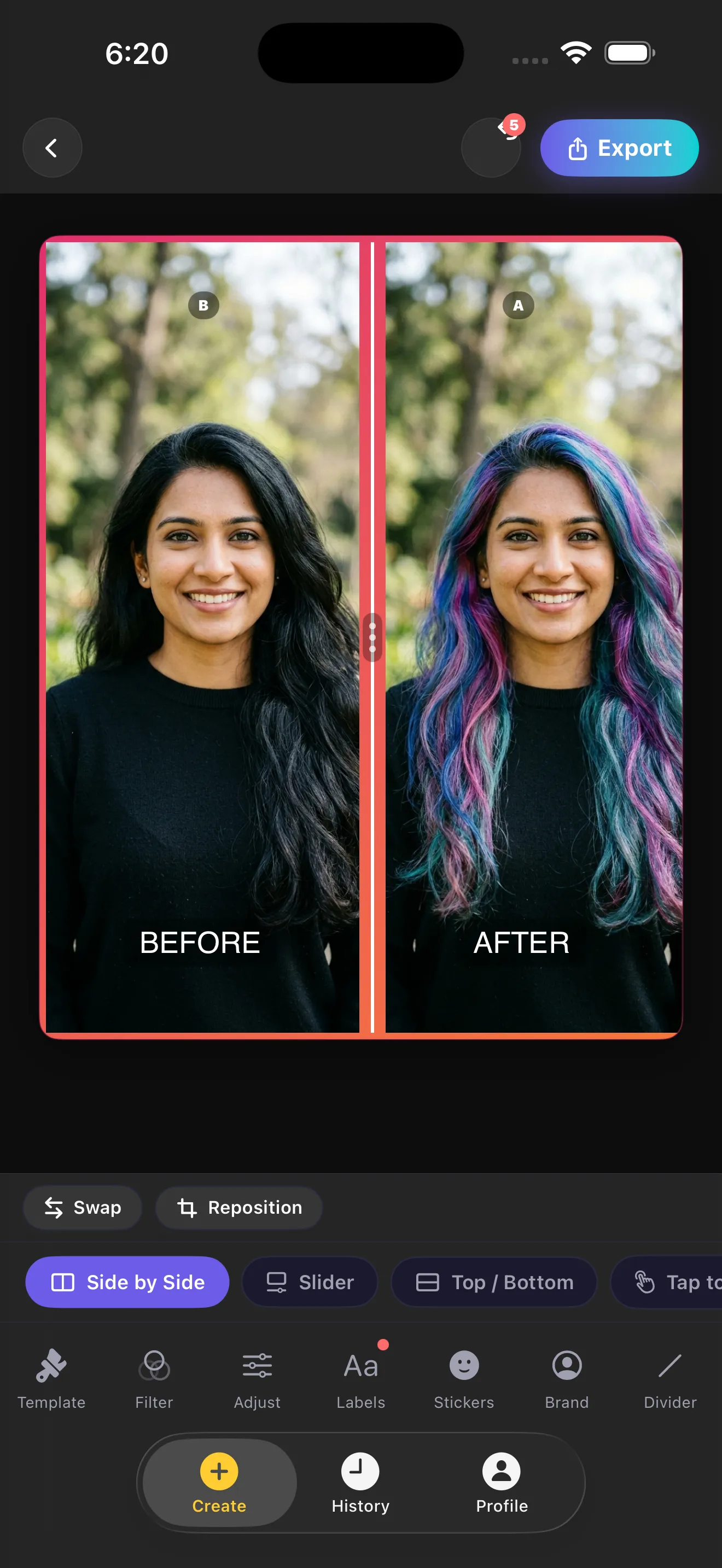
Slider, Side by Side, Top / Bottom, Tap to Switch. Every one previews on the canvas as you tap it, so there is no render queue between changing your mind and seeing it.

The reveal

The wipe, the cut and the push

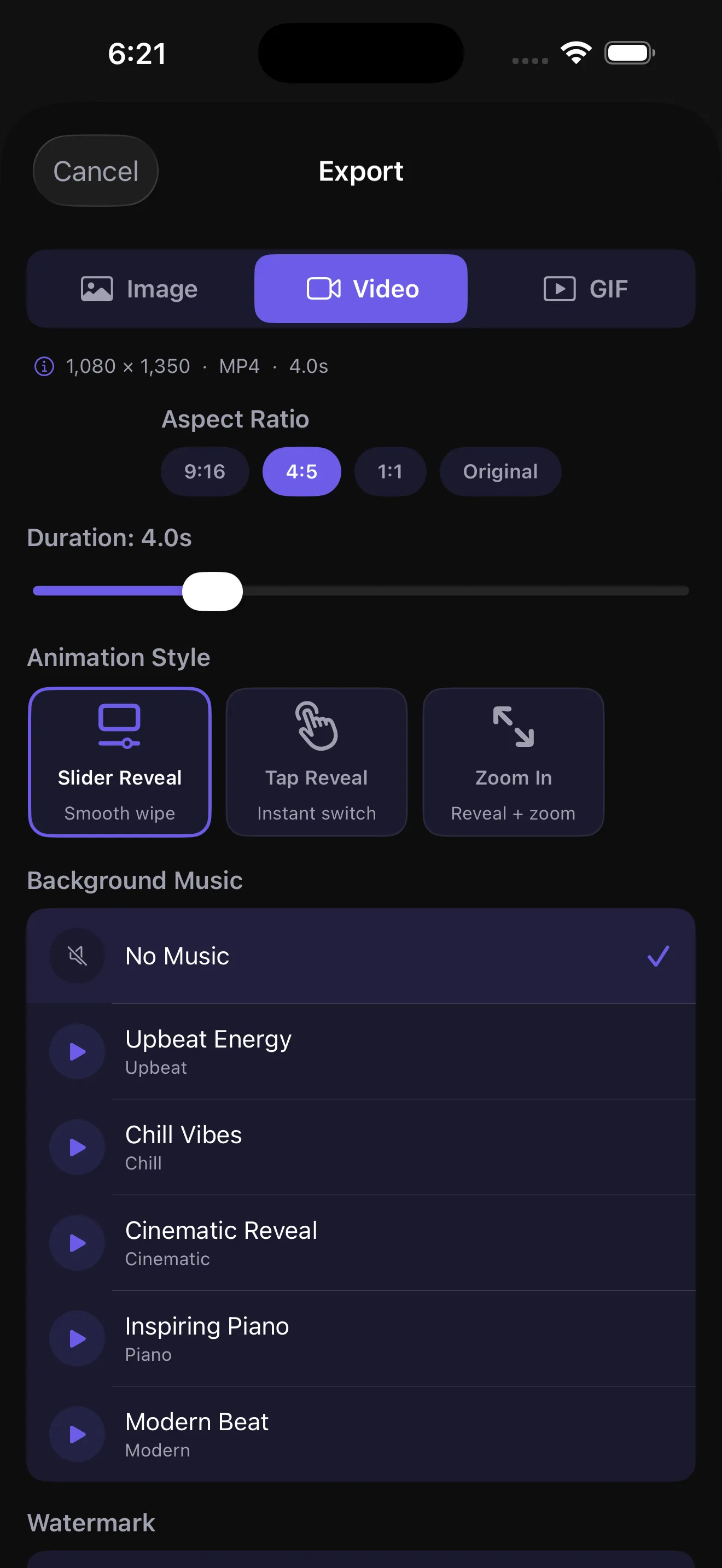
Slider Reveal, Tap Reveal, Zoom In. A clip runs a few seconds at 30 frames a second, and the Slider Reveal is on the free tier.

Ghost Camera

The before, over the viewfinder

Your before photograph sits over the live camera at an opacity you choose, so you line the second shot up before you press the shutter. It is not gated.

For a business

Your name and your logo, kept

Set a business name and a logo once and they persist between projects, with position, size and weight controls. Branding is not gated either.

The free tier, as the app enforces itThree screens, as they ship

Free, and not gated

  • All four comparison modes
  • Ghost Camera
  • Every filter, adjustment and sticker
  • Your own logo and business name
  • Saved projects that reopen
  • All ten app languages

What Pro is for

  • A daily export limit
  • A short rewarded advert before each export
  • A watermark, which Pro makes optional
  • One reveal animation rather than three

The complete row-by-row table, including what each tier does and does not get, is on the app page. Plans and current prices are shown on the App Store listing and inside the app, never typed onto this site.

  1. The app editor showing a before and after pair side by side, with the mode row set to Side by Side and the Slider, Top and Bottom and Divider options beside it
    01The editor
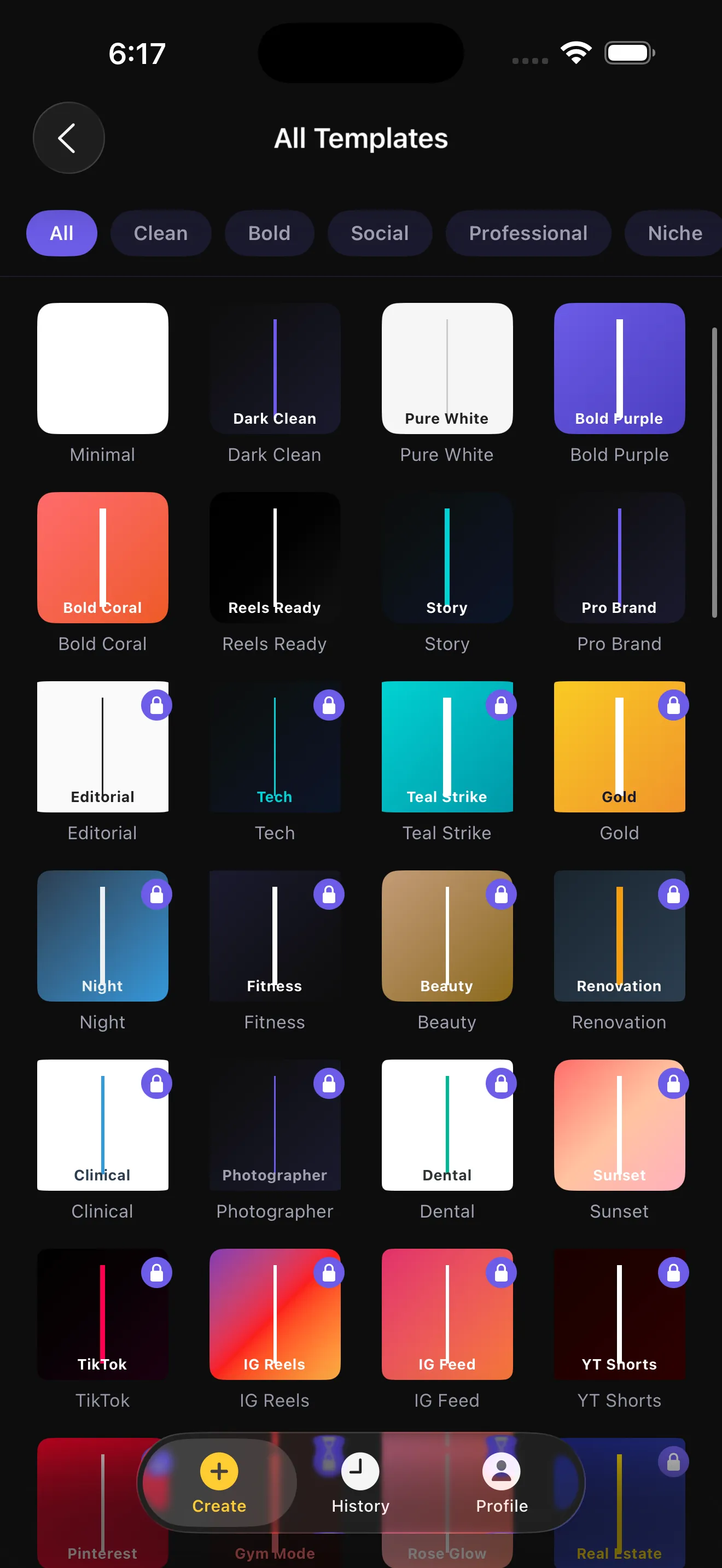
  2. The app's template picker showing a grid of template thumbnails filtered by category
    02The template picker
  3. The app's export sheet showing the video format, aspect ratio row, duration slider, the three animation styles and the background music list
    03The export sheet
Get the app freeFree on iPhone, with an optional Pro upgrade.

The shot-matching card, drawn both sides

Five things decide whether the second photograph lines up with the first, and every one of them is decided at the before. This is the card that holds them, as it will print, before a single file exists.

The card, as it will printBeing drawn
  1. 01The before sideFive blanks, filled in once, while the subject is still there
  2. 02The after sideThe same five, ticked back rather than remembered
When it lands

The craft, in full

Five things to fix, and the pair does the rest

One rule, before anything else

A pair is won or lost before the first shutter, and never in the edit.

The five to write down at the before

  • The spot

    Mark where you stand and where they stand. Tape, chalk, a floorboard.

  • The height

    Decide it and say it out loud. Eye level for a person, and hold it.

  • The distance

    Count paces from the mark. Move your feet, never the zoom.

  • The lens

    The main lens for both frames. The ultrawide bends everything near an edge.

  • The light

    One source, and the same hour of the day. Shadows move faster than weather.

You already have the before. Go and take the after.

The slider on this site is free and runs in this browser with nothing uploaded anywhere, the guides need no phone at all, and the template, hashtag and trade libraries are open to read.

Everything on this site is free · The slider runs in your browserThe reveal as a video, on iPhone →